

Every event on one timeline
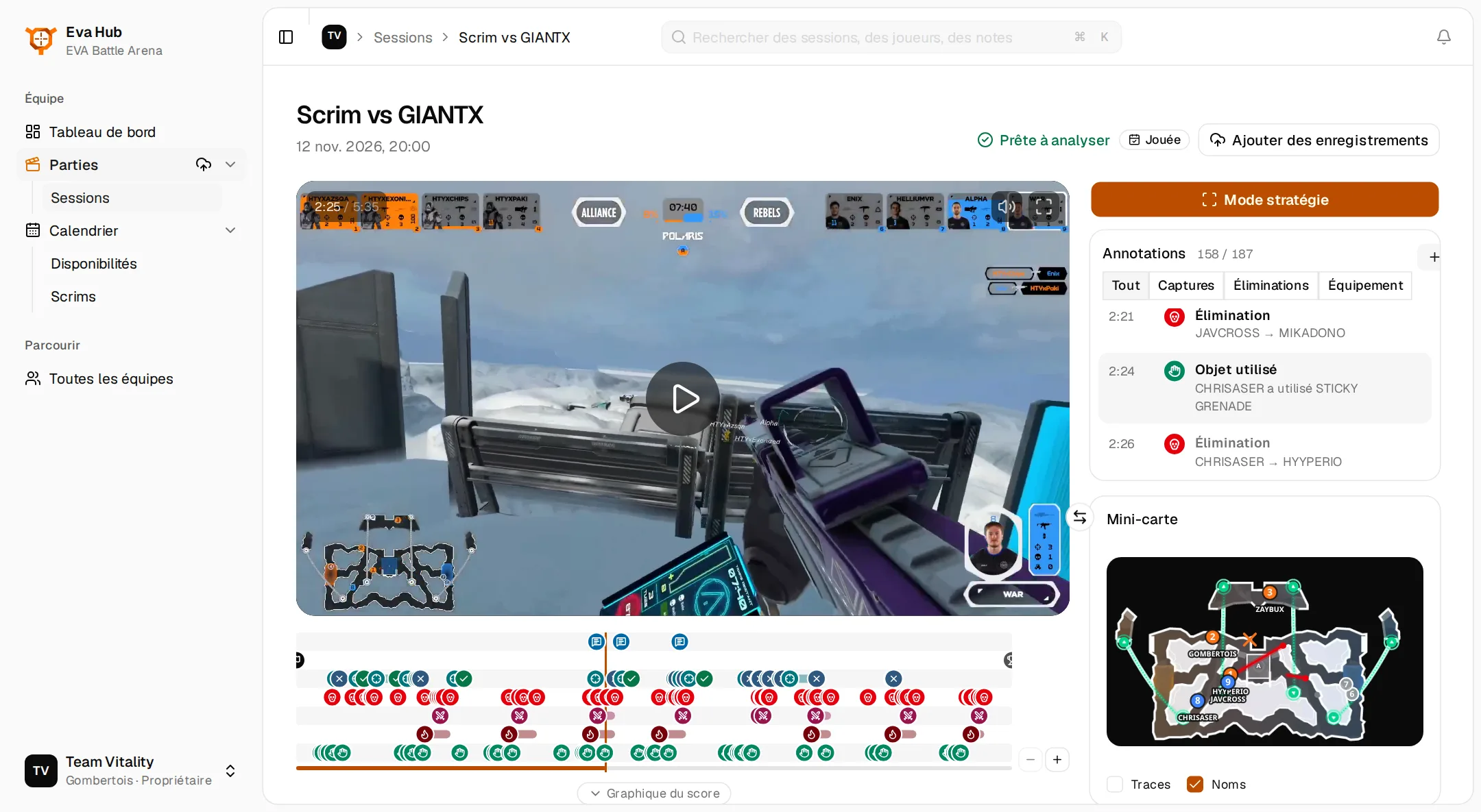
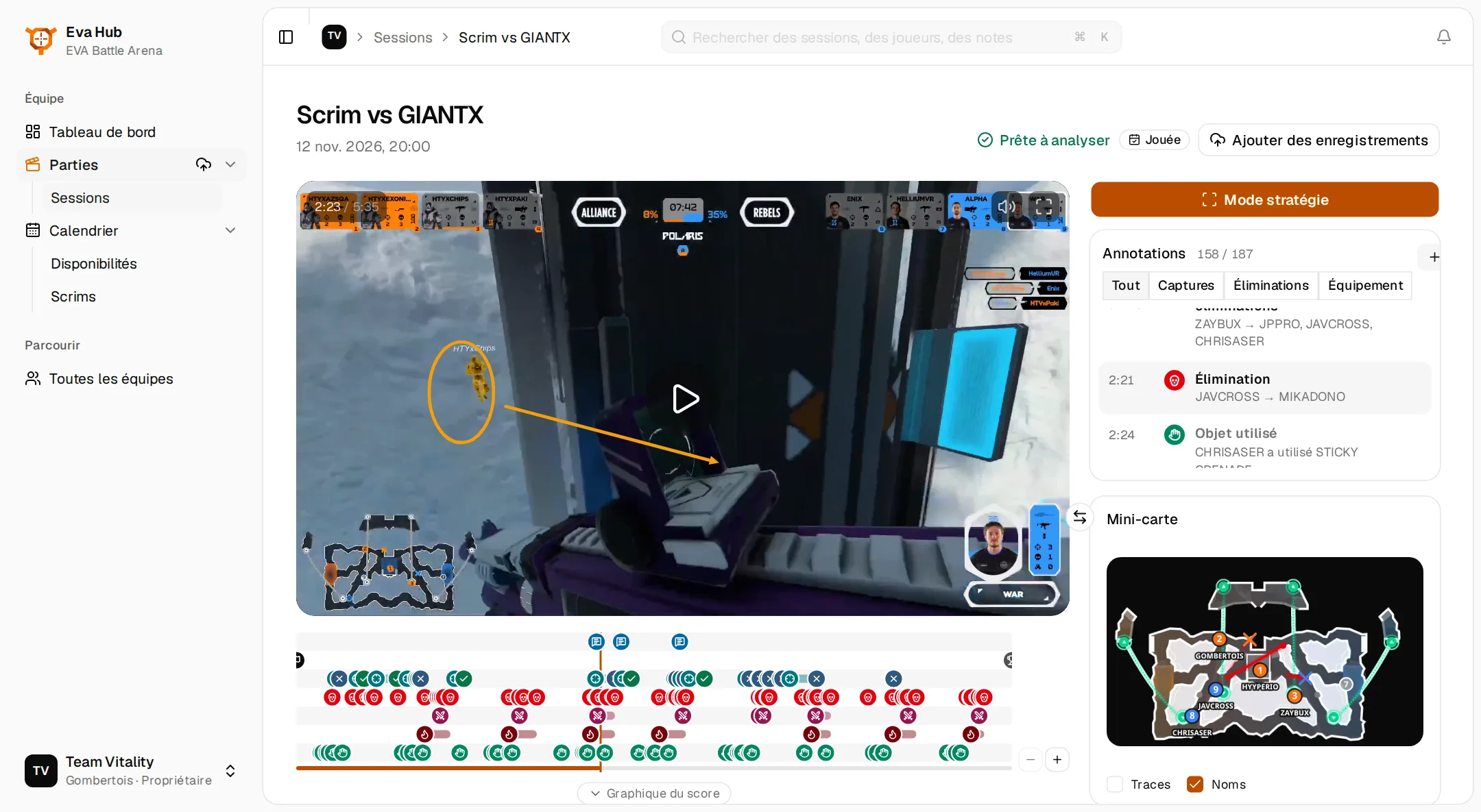
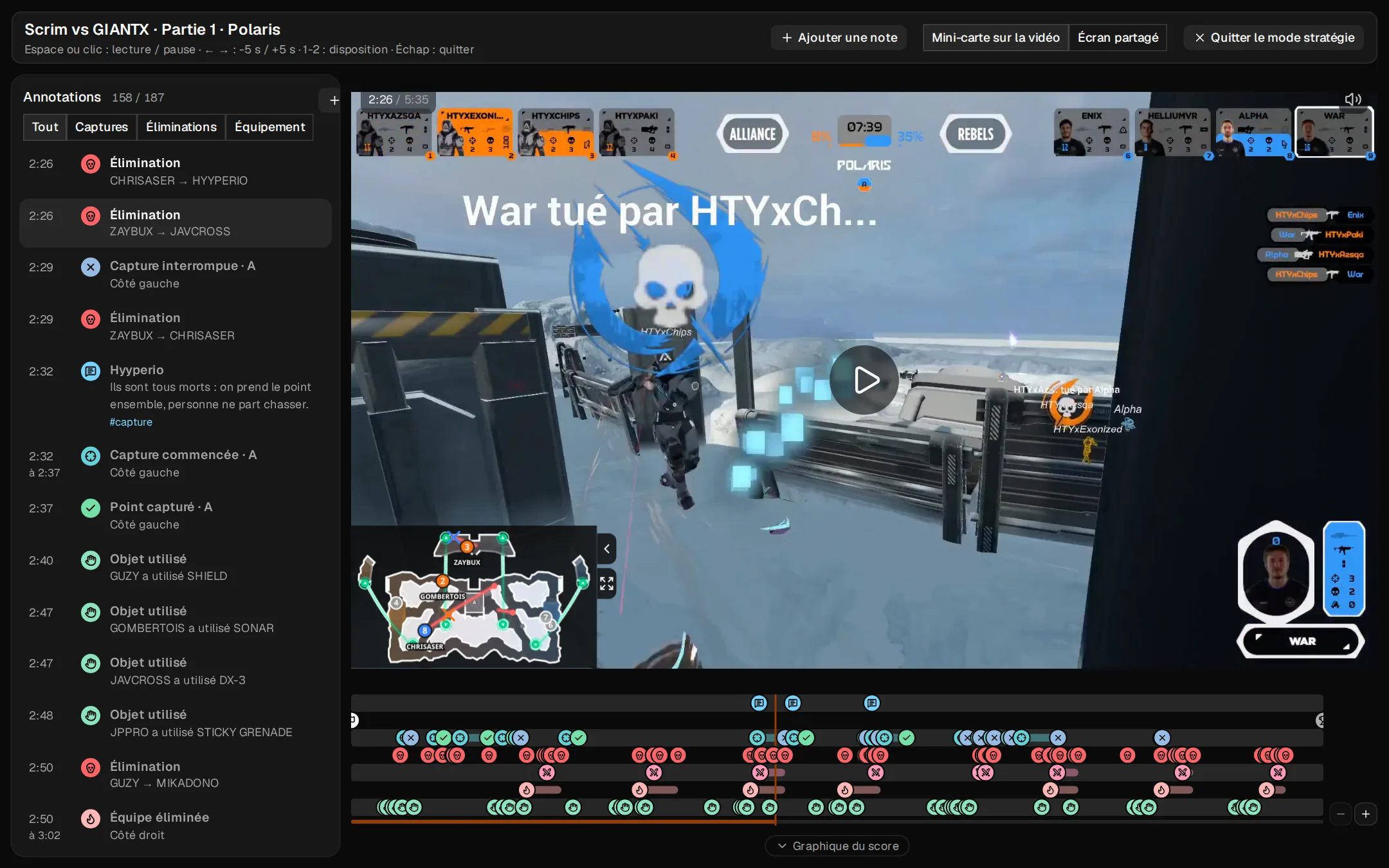
Captures, kills, multi-kills, revenges, team wipes and items used are placed on the timeline and listed beside the video. Click one to jump to it, switch to the captures or the kills alone, filter by player or by team.
Eva Hub · EVA Battle Arena
Eva Hub reads your recordings for you and keeps your team organised. Here is what it does, on real games.
Video analysis
Send a recording: Eva Hub finds the games in it and reads each one. The kills, the captures, the positions, the weapons and the grenades are all there when you sit down to review.
Captures, kills, multi-kills, revenges, team wipes and items used are placed on the timeline and listed beside the video. Click one to jump to it, switch to the captures or the kills alone, filter by player or by team.
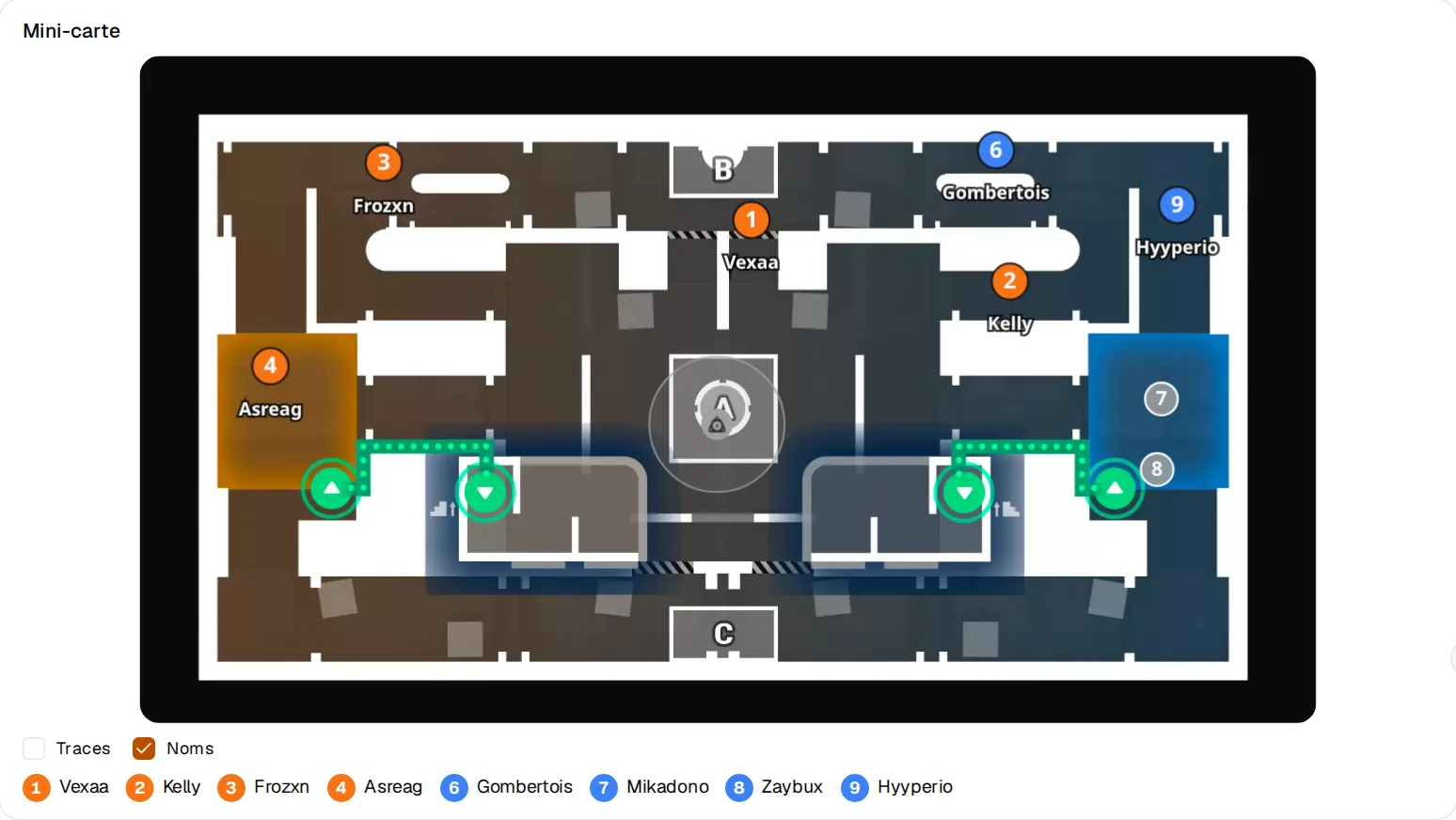
The eight players move on the map in time with the video, each under their name. Kills are drawn where they happened, grenades and sonars where they went off. Swap the minimap and the video to see it large.
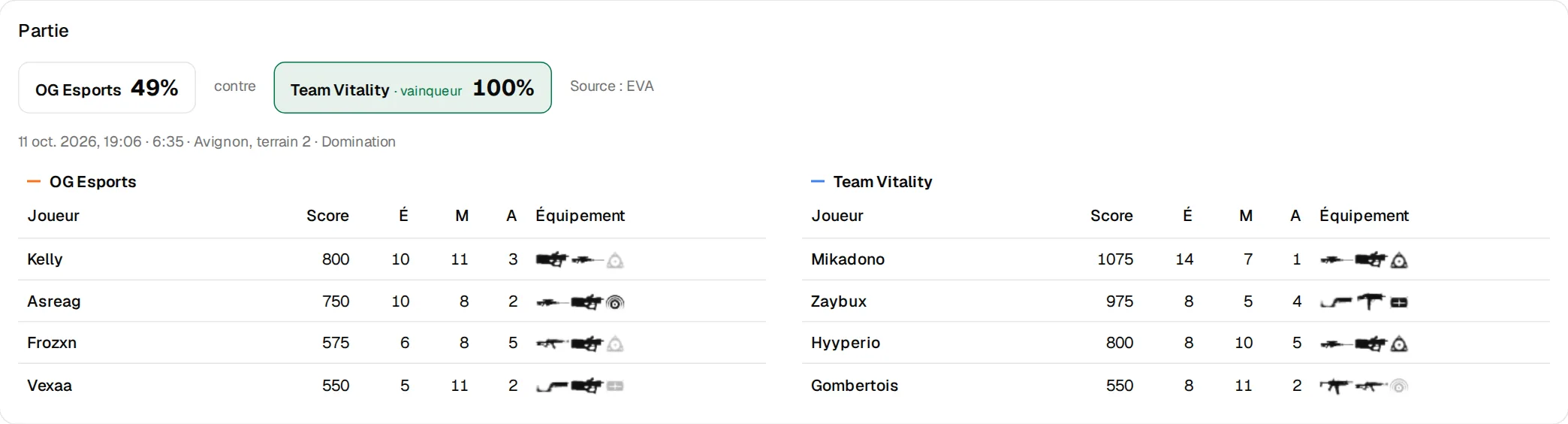
The scoreboard shows what each player carries at the moment you are watching: both weapons and the equipment, greyed while it is used. A loadout change or a grenade thrown is an event of the timeline too.
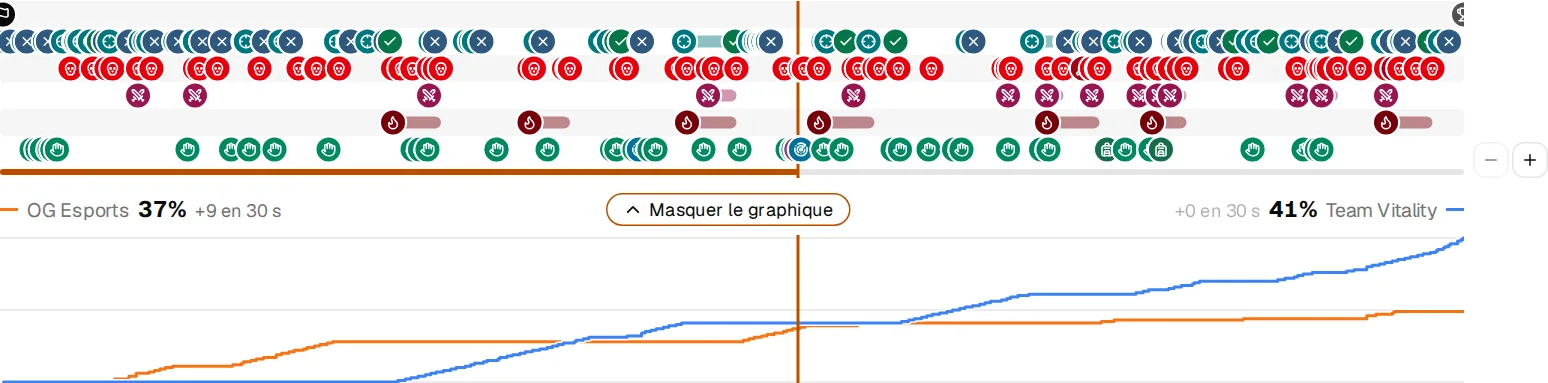
The graph under the timeline draws both teams' score over the game. You see when a team took off, and which fights and captures made it happen.
Stop on a moment, write what you see and draw on the picture: an arrow, a circle, a word. Your teammates find the note on the timeline, with its tags, and the video can pause on it by itself.
The game on the whole screen, the minimap over it or beside it, the events in a column: made for reviewing together, on a big screen, with the keyboard.
Team life
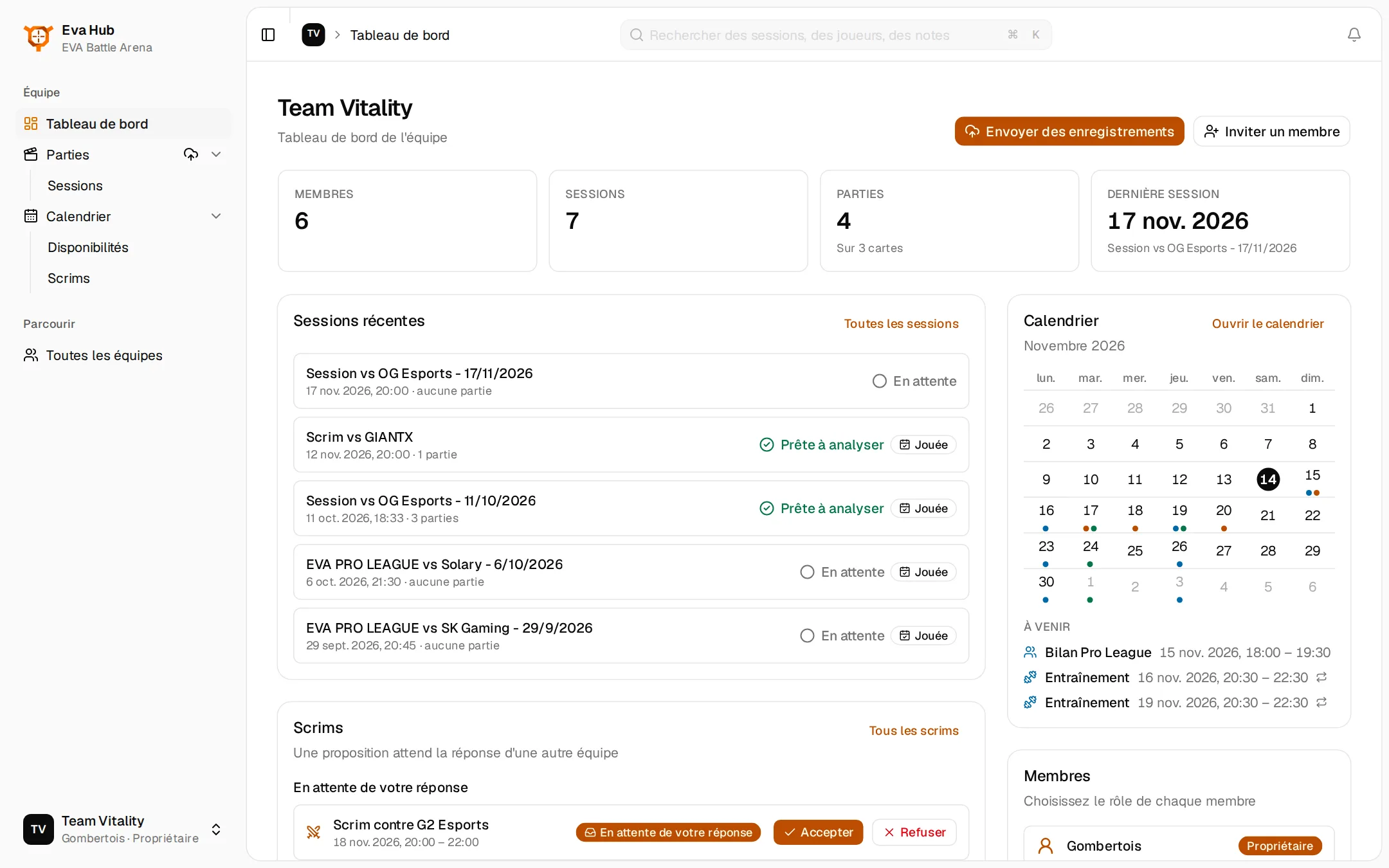
Who is free and when, what is planned, which scrims are waiting for an answer: one place for the whole team.
The latest sessions and whether they are ready to review, the scrims waiting for your answer, the coming events, the maps you play the most and the members with their roles.
Each one says when the team can play, once or every week. Trainings and meetings are planned on it, every member answers, and the scrims take their place by themselves.
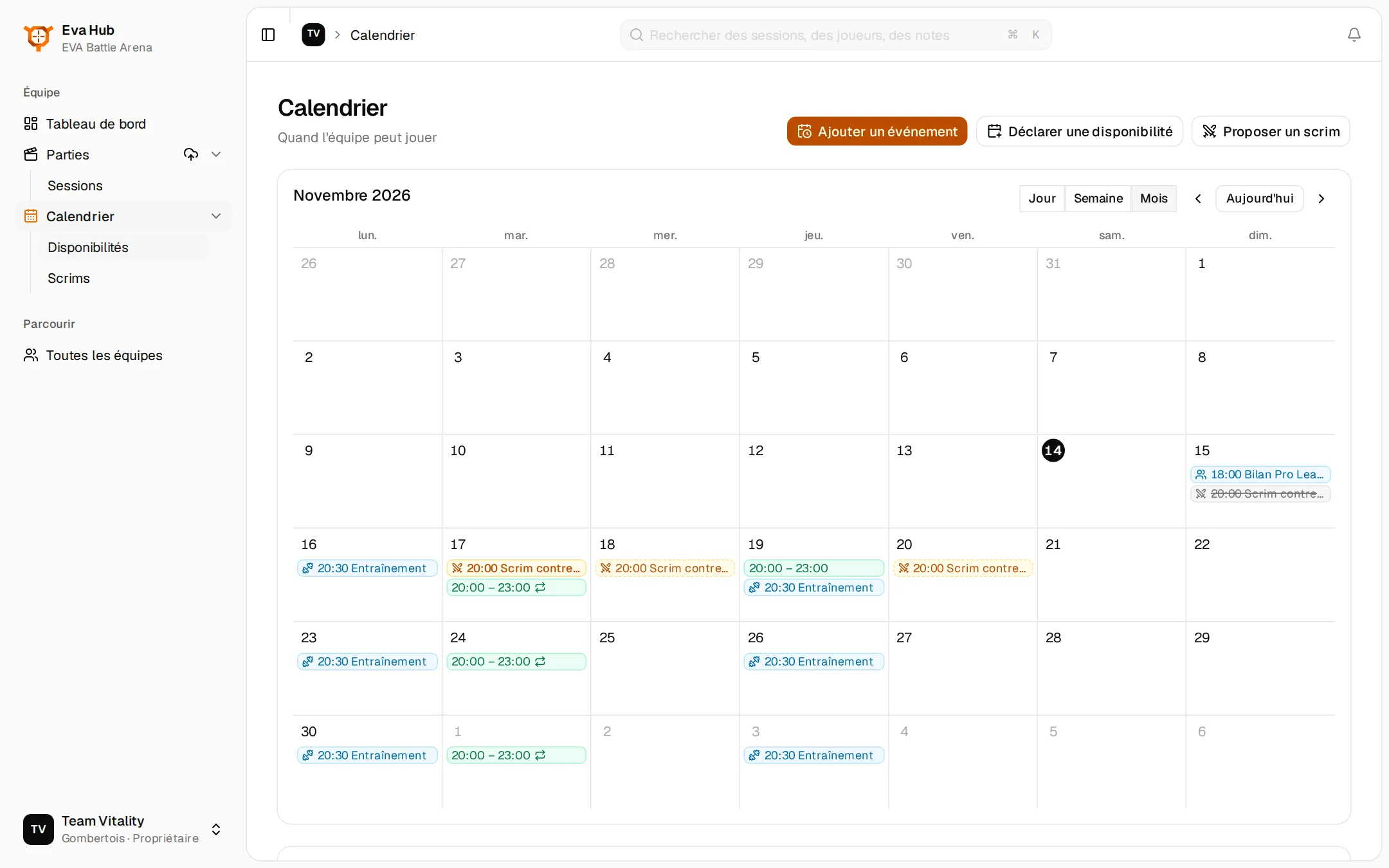
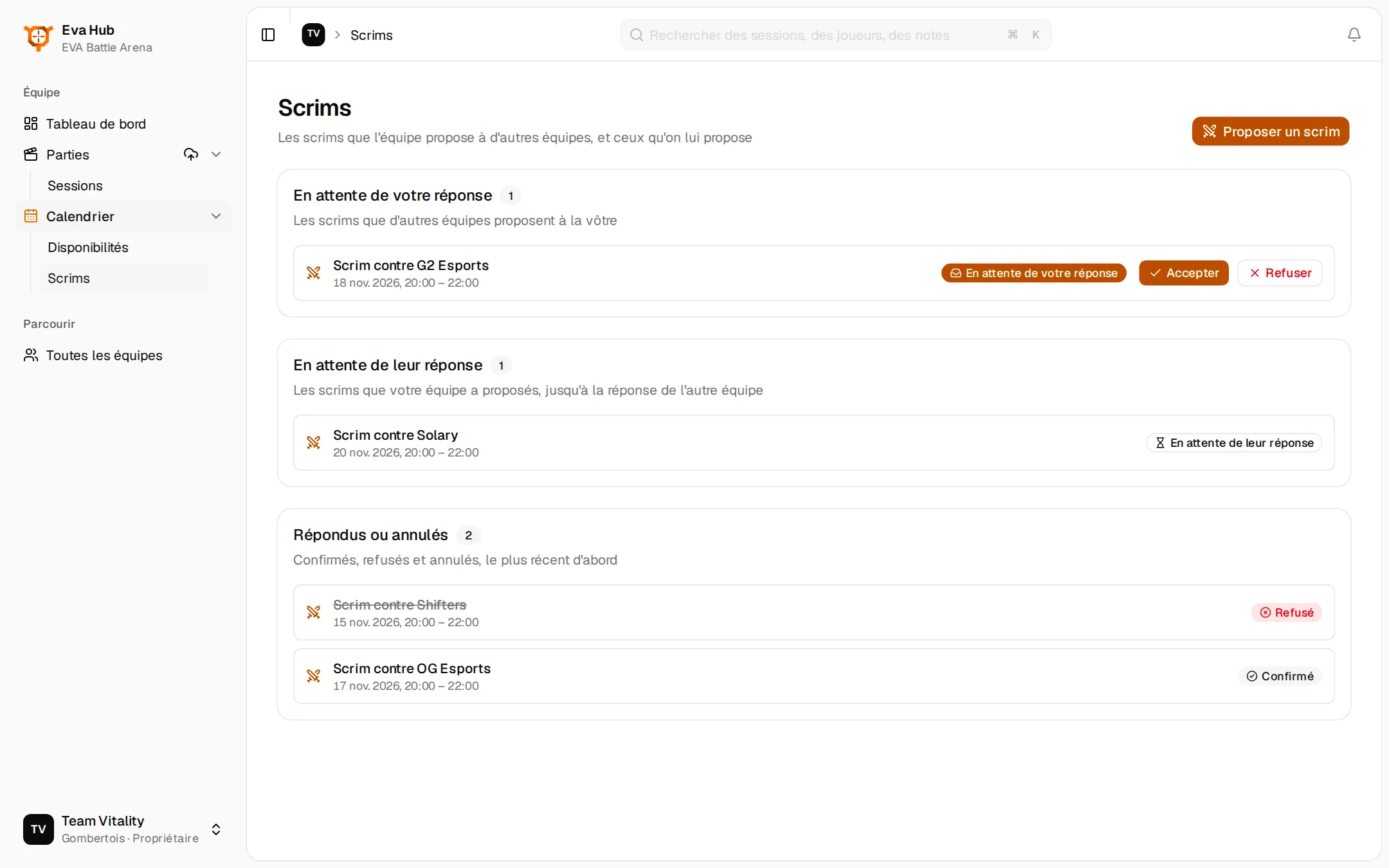
Propose a scrim to another team of Eva Hub, answer the ones you receive. Once accepted it is in both calendars, and its session is ready to receive the recording.
Chat with the community, ask your questions and be the first to hear the news of Eva Hub.